:Search:

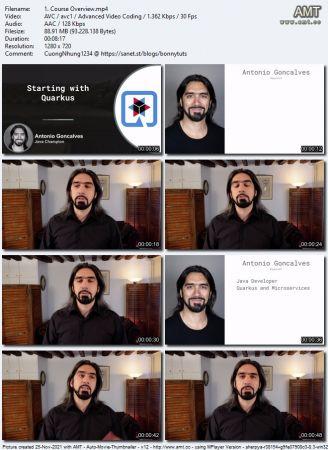
[Udemy, Antonio Goncalves] Starting with Quarkus [7/2021, ENG]

Torrent:
Info Hash: F45554F8F001D8D59D3778E500062972A6037BFE
Similar Posts:
Name Uploaded Size Se Le Upl. by
2023-10-24 1.5 GB 13 3 freecoursewb
2025-06-12 1.5 GB 36 38 Metodone
Uploader: Metodone
Source: TP Logo The Pirate Bay
Description:
What you'll learn Understand the Quarkus ecosystem, where it comes from, its performance benefits Bootstrap a REST application with Quarkus Test it with JUnit and RestAssured Use injection with CDI Configure the application and Quarkus itself Use the dev/test/prod Quarkus profiles Package a Quarkus application in several JAR formats Generate a native binary thanks to GraalVM Build and execute a Docker container out of the application Requirements A recent Windows / Mac / Linux machine Knowledge of the Java language and the Java ecosystem (Maven, JUnit, GraalVM) Basic knowledge of RESTful Web Services Basic knowledge of Docker Description This course is for Java developers who want to discover Quarkus. It’s a mixture of slides and code so you can “Understand and Practice” at the same time. This way, you learn the theory, and then put it into practice by developing an application step by step. In this course you will go through an entire development cycle. After introducing Quarkus, you will make sure your development environment is set up, and you will go from bootstrapping a Quarkus application, to running it as a Docker container. The different steps you’ll go through are: Understand Quarkus, Check your development environment, Get your hands on Quarkus, Expose a REST endpoint using JAX-RS, Inject beans with CDI, Test the REST endpoint with JUnit and RESTAssured, Configure the application with MicroProfile Configuration Configure Quarkus, Add profiles to the configuration, Build executable JARs Build a native executable and a Linux executable with GraalVM, Check the performances of a Quarkus application, Containerize the application with Docker and execute it. At the end of the course you’ll get a good understanding of Quarkus. You will be able to bootstrap, develop, package and execute a REST application, but most important, take Quarkus to your next project. Good luck for the course, and please reach out if you need any help or if you have any request: I’m here to help! Who this course is for: Java developers curious about Quarkus Back-end Java developers willing to move their application to the cloud Spring or Java EE developers who need to compare their toolkit with Quarkus
Category: Books
Size: 1.5 GB
Added: June 12, 2025, 1:34 a.m.
Peers: Seeders: 36, Leechers: 38 (Last updated: 10 months ago)
Files:
  1. ['1. Starting with Quarkus/1. Course Overview.mp4'] 0 bytes
  2. ['1. Starting with Quarkus/2. What Will You Build in This Course.mp4'] 0 bytes
  3. ['1. Starting with Quarkus/3. Next.mp4'] 0 bytes
  4. ['1. Starting with Quarkus/1. Course Overview.srt'] 0 bytes
  5. ['1. Starting with Quarkus/2. What Will You Build in This Course.srt'] 0 bytes
  6. ['1. Starting with Quarkus/3. Next.srt'] 0 bytes
  7. ['1. Starting with Quarkus/2.1 Source code on GitHub.html'] 0 bytes
  8. ['10. What’s Next/1. Quarkus References.mp4'] 0 bytes
  9. ['10. What’s Next/2. Author References.mp4'] 0 bytes
  10. ['10. What’s Next/3. Bye Bye.mp4'] 0 bytes
  11. ['10. What’s Next/1. Quarkus References.srt'] 0 bytes
  12. ['10. What’s Next/2. Author References.srt'] 0 bytes
  13. ['10. What’s Next/3. Bye Bye.srt'] 0 bytes
  14. ['10. What’s Next/1.4 Quarkus dev forum.html'] 0 bytes
  15. ['10. What’s Next/2.4 Instagram.html'] 0 bytes
  16. ['10. What’s Next/2.1 Amazon author.html'] 0 bytes
  17. ['10. What’s Next/2.5 Linkedin.html'] 0 bytes
  18. ['10. What’s Next/1.7 Quarkus Zulip.html'] 0 bytes
  19. ['10. What’s Next/1.2 Quarkiverse.html'] 0 bytes
  20. ['10. What’s Next/1.5 Quarkus GitHub.html'] 0 bytes
  21. ['10. What’s Next/2.2 Blog.html'] 0 bytes
  22. ['10. What’s Next/2.6 Twitter.html'] 0 bytes
  23. ['10. What’s Next/2.3 GitHub.html'] 0 bytes
  24. ['10. What’s Next/1.6 Quarkus guides.html'] 0 bytes
  25. ['10. What’s Next/1.1 Bootstrap Quarkus.html'] 0 bytes
  26. ['10. What’s Next/1.3 Quarkus.html'] 0 bytes
  27. ['2. Understanding Quarkus/2. What Is Quarkus.mp4'] 0 bytes
  28. ['2. Understanding Quarkus/4. Main Purpose Solved by Quarkus.mp4'] 0 bytes
  29. ['2. Understanding Quarkus/5. Next.mp4'] 0 bytes
  30. ['2. Understanding Quarkus/3. Supersonic and Subatomic.mp4'] 0 bytes
  31. ['2. Understanding Quarkus/1. Lesson Overview.mp4'] 0 bytes
  32. ['2. Understanding Quarkus/2. What Is Quarkus.srt'] 0 bytes
  33. ['2. Understanding Quarkus/4. Main Purpose Solved by Quarkus.srt'] 0 bytes
  34. ['2. Understanding Quarkus/3. Supersonic and Subatomic.srt'] 0 bytes
  35. ['2. Understanding Quarkus/5. Next.srt'] 0 bytes
  36. ['2. Understanding Quarkus/1. Lesson Overview.srt'] 0 bytes
  37. ['3. Getting Started/4. Bootstrapping the Application.mp4'] 0 bytes
  38. ['3. Getting Started/5. Activity Bootstrapping the Application.mp4'] 0 bytes
  39. ['3. Getting Started/7. Activity First Hands on Quarkus.mp4'] 0 bytes
  40. ['3. Getting Started/3. Activity Checking up the Development Environment.mp4'] 0 bytes
  41. ['3. Getting Started/2. Checking up the Development Environment.mp4'] 0 bytes
  42. ['3. Getting Started/6. Developer Joy.mp4'] 0 bytes
  43. ['3. Getting Started/1. Lesson Overview.mp4'] 0 bytes
  44. ['3. Getting Started/8. Next.mp4'] 0 bytes
  45. ['3. Getting Started/4. Bootstrapping the Application.srt'] 0 bytes
  46. ['3. Getting Started/2. Checking up the Development Environment.srt'] 0 bytes
  47. ['3. Getting Started/5. Activity Bootstrapping the Application.srt'] 0 bytes
  48. ['3. Getting Started/6. Developer Joy.srt'] 0 bytes
  49. ['3. Getting Started/7. Activity First Hands on Quarkus.srt'] 0 bytes
  50. ['3. Getting Started/3. Activity Checking up the Development Environment.srt'] 0 bytes
  51. ['3. Getting Started/1. Lesson Overview.srt'] 0 bytes
  52. ['3. Getting Started/8. Next.srt'] 0 bytes
  53. ['3. Getting Started/5.1 bootstrap.sh'] 0 bytes
  54. ['3. Getting Started/4.1 bootstrap.sh.html'] 0 bytes
  55. ['3. Getting Started/3.3 IntelliJ IDEA.html'] 0 bytes
  56. ['3. Getting Started/3.5 Maven.html'] 0 bytes
  57. ['3. Getting Started/3.2 GraalVM.html'] 0 bytes
  58. ['3. Getting Started/3.4 Java.html'] 0 bytes
  59. ['3. Getting Started/3.1 Docker.html'] 0 bytes
  60. ['4. Developing the Application/3. Activity Exposing the Book REST Endpoint.mp4'] 0 bytes
  61. ['4. Developing the Application/2. Exposing the Book REST Endpoint.mp4'] 0 bytes
  62. ['4. Developing the Application/4. Injecting a Bean.mp4'] 0 bytes
  63. ['4. Developing the Application/6. Next.mp4'] 0 bytes
  64. ['4. Developing the Application/5. Activity Injecting a Bean.mp4'] 0 bytes
  65. ['4. Developing the Application/1. Lesson Overview.mp4'] 0 bytes
  66. ['4. Developing the Application/2. Exposing the Book REST Endpoint.srt'] 0 bytes
  67. ['4. Developing the Application/4. Injecting a Bean.srt'] 0 bytes
  68. ['4. Developing the Application/3. Activity Exposing the Book REST Endpoint.srt'] 0 bytes
  69. ['4. Developing the Application/5. Activity Injecting a Bean.srt'] 0 bytes
  70. ['4. Developing the Application/6. Next.srt'] 0 bytes
  71. ['4. Developing the Application/1. Lesson Overview.srt'] 0 bytes
  72. ['5. Testing the Application/3. Activity Testing the Book REST Endpoint.mp4'] 0 bytes
  73. ['5. Testing the Application/2. Testing the Book REST Endpoint.mp4'] 0 bytes
  74. ['5. Testing the Application/1. Lesson Overview.mp4'] 0 bytes
  75. ['5. Testing the Application/4. Next.mp4'] 0 bytes
  76. ['5. Testing the Application/2. Testing the Book REST Endpoint.srt'] 0 bytes
  77. ['5. Testing the Application/3. Activity Testing the Book REST Endpoint.srt'] 0 bytes
  78. ['5. Testing the Application/1. Lesson Overview.srt'] 0 bytes
  79. ['5. Testing the Application/4. Next.srt'] 0 bytes
  80. ['6. Configuring the Application/3. Activity Injecting Configuration.mp4'] 0 bytes
  81. ['6. Configuring the Application/5. Activity Configuring Quarkus.mp4'] 0 bytes
  82. ['6. Configuring the Application/7. Activity Adding Profiles.mp4'] 0 bytes
  83. ['6. Configuring the Application/4. Configuring Quarkus.mp4'] 0 bytes
  84. ['6. Configuring the Application/2. Injecting Configuration.mp4'] 0 bytes
  85. ['6. Configuring the Application/6. Adding Profiles.mp4'] 0 bytes
  86. ['6. Configuring the Application/1. Lesson Overview.mp4'] 0 bytes
  87. ['6. Configuring the Application/8. Next.mp4'] 0 bytes
  88. ['6. Configuring the Application/2. Injecting Configuration.srt'] 0 bytes
  89. ['6. Configuring the Application/5. Activity Configuring Quarkus.srt'] 0 bytes
  90. ['6. Configuring the Application/6. Adding Profiles.srt'] 0 bytes
  91. ['6. Configuring the Application/3. Activity Injecting Configuration.srt'] 0 bytes
  92. ['6. Configuring the Application/4. Configuring Quarkus.srt'] 0 bytes
  93. ['6. Configuring the Application/7. Activity Adding Profiles.srt'] 0 bytes
  94. ['6. Configuring the Application/1. Lesson Overview.srt'] 0 bytes
  95. ['6. Configuring the Application/8. Next.srt'] 0 bytes
  96. ['7. Packaging the Application/3. Activity Building Executable JARs.mp4'] 0 bytes
  97. ['7. Packaging the Application/2. Building Executable JARs.mp4'] 0 bytes
  98. ['7. Packaging the Application/4. Building Native Executables.mp4'] 0 bytes
  99. ['7. Packaging the Application/5. Activity Building Native Executables.mp4'] 0 bytes
  100. ['7. Packaging the Application/7. Activity Testing Native Executables.mp4'] 0 bytes
  101. ['7. Packaging the Application/8. Next.mp4'] 0 bytes
  102. ['7. Packaging the Application/6. Testing Native Executables.mp4'] 0 bytes
  103. ['7. Packaging the Application/1. Lesson Overview.mp4'] 0 bytes
  104. ['7. Packaging the Application/3. Activity Building Executable JARs.srt'] 0 bytes
  105. ['7. Packaging the Application/2. Building Executable JARs.srt'] 0 bytes
  106. ['7. Packaging the Application/4. Building Native Executables.srt'] 0 bytes
  107. ['7. Packaging the Application/6. Testing Native Executables.srt'] 0 bytes
  108. ['7. Packaging the Application/5. Activity Building Native Executables.srt'] 0 bytes
  109. ['7. Packaging the Application/7. Activity Testing Native Executables.srt'] 0 bytes
  110. ['7. Packaging the Application/1. Lesson Overview.srt'] 0 bytes
  111. ['7. Packaging the Application/8. Next.srt'] 0 bytes
  112. ['8. Executing the Application/3. Activity Containerizing Executable JARs.mp4'] 0 bytes
  113. ['8. Executing the Application/5. Activity Containerizing Linux Native Executables.mp4'] 0 bytes
  114. ['8. Executing the Application/2. Containerizing Executable JARs.mp4'] 0 bytes
  115. ['8. Executing the Application/4. Containerizing Linux Native Executables.mp4'] 0 bytes
  116. ['8. Executing the Application/1. Lesson Overview.mp4'] 0 bytes
  117. ['8. Executing the Application/6. Next.mp4'] 0 bytes
  118. ['8. Executing the Application/2. Containerizing Executable JARs.srt'] 0 bytes
  119. ['8. Executing the Application/3. Activity Containerizing Executable JARs.srt'] 0 bytes
  120. ['8. Executing the Application/4. Containerizing Linux Native Executables.srt'] 0 bytes
  121. ['8. Executing the Application/5. Activity Containerizing Linux Native Executables.srt'] 0 bytes
  122. ['8. Executing the Application/1. Lesson Overview.srt'] 0 bytes
  123. ['8. Executing the Application/6. Next.srt'] 0 bytes
  124. ['9. Revisiting the Application/1. Revisiting the Application.mp4'] 0 bytes
  125. ['9. Revisiting the Application/3. Next.mp4'] 0 bytes
  126. ['9. Revisiting the Application/2. Congratulations!.mp4'] 0 bytes
  127. ['9. Revisiting the Application/1. Revisiting the Application.srt'] 0 bytes
  128. ['9. Revisiting the Application/3. Next.srt'] 0 bytes
  129. ['9. Revisiting the Application/2. Congratulations!.srt'] 0 bytes

Discussion