| Files: |
-
Get Bonus Downloads Here.url
180 bytes
-
01 - Introduction to Illustrator on the iPad - Adobe Illustrator on the iPad.English (auto-generated).srt
10.6 KB
-
01 - Introduction to Illustrator on the iPad - Adobe Illustrator on the iPad.English (auto-generated).vtt
11.1 KB
-
01 - Introduction to Illustrator on the iPad - Adobe Illustrator on the iPad.mp4
48.3 MB
-
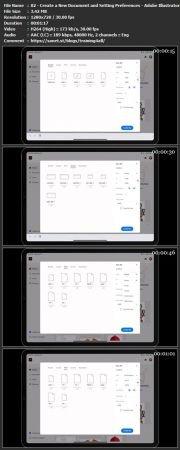
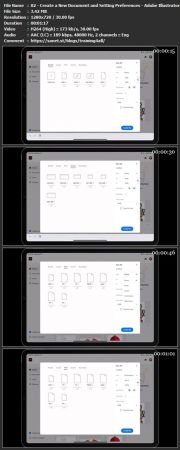
02 - Create a New Document and Setting Preferences - Adobe Illustrator on the iPad.English (auto-generated).srt
1.9 KB
-
02 - Create a New Document and Setting Preferences - Adobe Illustrator on the iPad.English (auto-generated).vtt
2.0 KB
-
02 - Create a New Document and Setting Preferences - Adobe Illustrator on the iPad.mp4
3.4 MB
-
03 - Toolbar, Task Bar, Interface and Shortcuts - Adobe Illustrator on the iPad.English (auto-generated).srt
8.4 KB
-
03 - Toolbar, Task Bar, Interface and Shortcuts - Adobe Illustrator on the iPad.English (auto-generated).vtt
8.8 KB
-
03 - Toolbar, Task Bar, Interface and Shortcuts - Adobe Illustrator on the iPad.mp4
12.6 MB
-
04 - Basic Shapes, Touch Wheel, Contextual Menus - Adobe Illustrator on the iPad.English (auto-generated).srt
18.6 KB
-
04 - Basic Shapes, Touch Wheel, Contextual Menus - Adobe Illustrator on the iPad.English (auto-generated).vtt
19.5 KB
-
04 - Basic Shapes, Touch Wheel, Contextual Menus - Adobe Illustrator on the iPad.mp4
26.4 MB
-
05 - Guides, Grids and Smart Guides - Adobe Illustrator on the iPad.English (auto-generated).srt
6.2 KB
-
05 - Guides, Grids and Smart Guides - Adobe Illustrator on the iPad.English (auto-generated).vtt
6.5 KB
-
05 - Guides, Grids and Smart Guides - Adobe Illustrator on the iPad.mp4
9.6 MB
-
06 - Direct Selection Tool, Path Features, Editing Points and Joining Lines - Adobe Illustrator on the iPad.English (auto-generated).srt
6.9 KB
-
06 - Direct Selection Tool, Path Features, Editing Points and Joining Lines - Adobe Illustrator on the iPad.English (auto-generated).vtt
7.2 KB
-
06 - Direct Selection Tool, Path Features, Editing Points and Joining Lines - Adobe Illustrator on the iPad.mp4
9.3 MB
-
07 - Pen Tool, Pencil Tool, Blob Brush Tool, Eraser Tool - Adobe Illustrator on the iPad.English (auto-generated).srt
16.1 KB
-
07 - Pen Tool, Pencil Tool, Blob Brush Tool, Eraser Tool - Adobe Illustrator on the iPad.English (auto-generated).vtt
16.9 KB
-
07 - Pen Tool, Pencil Tool, Blob Brush Tool, Eraser Tool - Adobe Illustrator on the iPad.mp4
20.9 MB
-
08 - Align and Distribute - Adobe Illustrator on the iPad.English (auto-generated).srt
8.6 KB
-
08 - Align and Distribute - Adobe Illustrator on the iPad.English (auto-generated).vtt
9.0 KB
-
08 - Align and Distribute - Adobe Illustrator on the iPad.mp4
12.3 MB
-
09 - Paths - Adobe Illustrator on the iPad.English (auto-generated).srt
4.9 KB
-
09 - Paths - Adobe Illustrator on the iPad.English (auto-generated).vtt
5.2 KB
-
09 - Paths - Adobe Illustrator on the iPad.mp4
8.0 MB
-
10 - Repeat Feature - Adobe Illustrator on the iPad.English (auto-generated).srt
12.0 KB
-
10 - Repeat Feature - Adobe Illustrator on the iPad.English (auto-generated).vtt
12.6 KB
-
10 - Repeat Feature - Adobe Illustrator on the iPad.mp4
20.0 MB
-
11 - Clipping Masks and Object Panel - Adobe Illustrator on the iPad.English (auto-generated).srt
12.3 KB
-
11 - Clipping Masks and Object Panel - Adobe Illustrator on the iPad.English (auto-generated).vtt
12.9 KB
-
11 - Clipping Masks and Object Panel - Adobe Illustrator on the iPad.mp4
21.3 MB
-
12 - Paths, Lines, and Strokes - Adobe Illustrator on the iPad.English (auto-generated).srt
6.2 KB
-
12 - Paths, Lines, and Strokes - Adobe Illustrator on the iPad.English (auto-generated).vtt
6.5 KB
-
12 - Paths, Lines, and Strokes - Adobe Illustrator on the iPad.mp4
10.1 MB
-
13 - Color and Gradients - Adobe Illustrator on the iPad.English (auto-generated).srt
21.6 KB
-
13 - Color and Gradients - Adobe Illustrator on the iPad.English (auto-generated).vtt
22.6 KB
-
13 - Color and Gradients - Adobe Illustrator on the iPad.mp4
44.5 MB
-
14 - Type and Layers - Adobe Illustrator on the iPad.English (auto-generated).srt
23.3 KB
-
14 - Type and Layers - Adobe Illustrator on the iPad.English (auto-generated).vtt
24.3 KB
-
14 - Type and Layers - Adobe Illustrator on the iPad.mp4
51.7 MB
-
15 - Save, Export, Share, Import and Wrap Up - Adobe Illustrator on the iPad.English (auto-generated).srt
13.3 KB
-
15 - Save, Export, Share, Import and Wrap Up - Adobe Illustrator on the iPad.English (auto-generated).vtt
13.9 KB
-
15 - Save, Export, Share, Import and Wrap Up - Adobe Illustrator on the iPad.mp4
38.3 MB
-
Bonus Resources.txt
386 bytes
|

 1337x
1337x




Discussion