:Search:

Linkedin Outlook Essential Training Microsoft 365 2022

Torrent:
Info Hash: 049AC6956FFA5661998DBDC2C888FF0E7CC9E272
Similar Posts:
Uploader: freecoursewb
Source: 1 Logo 1337x
Downloads: 243
Type: Tutorials
Images:
Linkedin Outlook Essential Training Microsoft 365 2022
Language: English
Category: Other
Size: 364.6 MB
Added: Oct. 23, 2023, 10:29 p.m.
Peers: Seeders: 3, Leechers: 3 (Last updated: 10 months, 4 weeks ago)
Tracker Data:
Tracker Seeders Leechers Completed
udp://open.stealth.si:80/announce 0 1 16
udp://exodus.desync.com:6969/announce 0 0 7
udp://tracker.cyberia.is:6969/announce (Failed to scrape UDP tracker) 0 0 0
udp://tracker.opentrackr.org:1337/announce 1 0 68
udp://tracker.torrent.eu.org:451/announce 2 0 136
udp://explodie.org:6969/announce (Failed to scrape UDP tracker) 0 0 0
udp://tracker.birkenwald.de:6969/announce 0 1 0
udp://tracker.moeking.me:6969/announce (Failed to scrape UDP tracker) 0 0 0
udp://ipv4.tracker.harry.lu:80/announce (Failed to scrape UDP tracker) 0 0 0
udp://tracker.tiny-vps.com:6969/announce 0 0 16
udp://tracker.therarbg.to:6969/announce 0 1 0
Files:
  1. Get Bonus Downloads Here.url 180 bytes
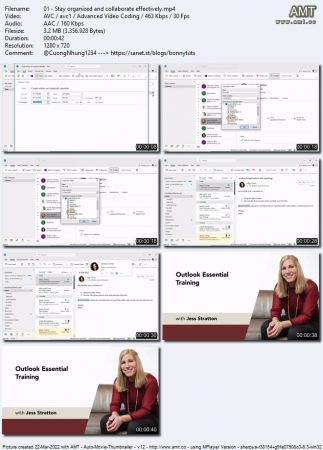
  2. 01 - Stay organized and collaborate effectively.mp4 3.2 MB
  3. 01 - Stay organized and collaborate effectively.mp4.jpg 167.9 KB
  4. 01 - Stay organized and collaborate effectively.srt 1.4 KB
  5. 02 - Check what version of Outlook you're using.mp4 4.3 MB
  6. 02 - Check what version of Outlook you're using.srt 3.6 KB
  7. 01 - Navigate the interface.mp4 9.0 MB
  8. 01 - Navigate the interface.srt 6.1 KB
  9. 02 - Add an Office 365 email account.mp4 5.4 MB
  10. 02 - Add an Office 365 email account.srt 3.4 KB
  11. 03 - Add an IMAP account manually.mp4 7.9 MB
  12. 03 - Add an IMAP account manually.srt 4.7 KB
  13. 04 - Send and receive mail.mp4 9.4 MB
  14. 04 - Send and receive mail.srt 7.3 KB
  15. 01 - Read mail.mp4 12.8 MB
  16. 01 - Read mail.srt 7.6 KB
  17. 02 - Customize the inbox.mp4 14.7 MB
  18. 02 - Customize the inbox.srt 8.5 KB
  19. 03 - Save attachments from a message.mp4 6.7 MB
  20. 03 - Save attachments from a message.srt 4.1 KB
  21. 04 - Search mail.mp4 6.5 MB
  22. 04 - Search mail.srt 3.9 KB
  23. 05 - Ignore conversations and flag mail as junk.mp4 13.5 MB
  24. 05 - Ignore conversations and flag mail as junk.srt 7.5 KB
  25. 06 - Using filters and Insights.mp4 8.9 MB
  26. 06 - Using filters and Insights.srt 5.7 KB
  27. 01 - Use Conditional Formatting to change font and color.mp4 11.1 MB
  28. 01 - Use Conditional Formatting to change font and color.srt 6.6 KB
  29. 02 - Use follow-up flags and color categories.mp4 14.8 MB
  30. 02 - Use follow-up flags and color categories.srt 8.4 KB
  31. 03 - Organize mail into folders.mp4 9.8 MB
  32. 03 - Organize mail into folders.srt 5.6 KB
  33. 04 - Use Quick Steps to process messages.mp4 14.6 MB
  34. 04 - Use Quick Steps to process messages.srt 8.2 KB
  35. 05 - Process messages with mail rules.mp4 13.7 MB
  36. 05 - Process messages with mail rules.srt 8.0 KB
  37. 06 - Delete, restore, and archive mail.mp4 9.2 MB
  38. 06 - Delete, restore, and archive mail.srt 5.8 KB
  39. 01 - Create and format a new message.mp4 8.0 MB
  40. 01 - Create and format a new message.srt 5.9 KB
  41. 02 - Reply to and forward a message.mp4 7.6 MB
  42. 02 - Reply to and forward a message.srt 5.0 KB
  43. 03 - Recall or resend a message.mp4 6.1 MB
  44. 03 - Recall or resend a message.srt 4.7 KB
  45. 04 - Create voting buttons in a message.mp4 4.8 MB
  46. 04 - Create voting buttons in a message.srt 3.2 KB
  47. 05 - Add signatures.mp4 9.6 MB
  48. 05 - Add signatures.srt 6.0 KB
  49. 06 - Send an out-of-office or autoreply email.mp4 6.6 MB
  50. 06 - Send an out-of-office or autoreply email.srt 4.5 KB
  51. 07 - Explore more delivery options.mp4 6.4 MB
  52. 07 - Explore more delivery options.srt 5.5 KB
  53. 08 - Use @mentions to get someone's attention.mp4 4.2 MB
  54. 08 - Use @mentions to get someone's attention.srt 3.3 KB
  55. 09 - Translate, dictate, and read aloud.mp4 4.7 MB
  56. 09 - Translate, dictate, and read aloud.srt 3.5 KB
  57. 01 - Create new contacts.mp4 9.1 MB
  58. 01 - Create new contacts.srt 5.6 KB
  59. 02 - Create contact groups.mp4 7.7 MB
  60. 02 - Create contact groups.srt 5.7 KB
  61. 03 - Move contacts into folders.mp4 8.5 MB
  62. 03 - Move contacts into folders.srt 6.7 KB
  63. 04 - Share contact data with others.mp4 8.0 MB
  64. 04 - Share contact data with others.srt 6.0 KB
  65. 01 - Add delegates who can act on your behalf.mp4 6.2 MB
  66. 01 - Add delegates who can act on your behalf.srt 3.9 KB
  67. 01 - Change the look of the calendar.mp4 9.0 MB
  68. 01 - Change the look of the calendar.srt 5.6 KB
  69. 02 - Create an appointment and an all-day event.mp4 11.9 MB
  70. 02 - Create an appointment and an all-day event.srt 8.9 KB
  71. 03 - Create a meeting.mp4 10.1 MB
  72. 03 - Create a meeting.srt 7.5 KB
  73. 04 - Chair a meeting.mp4 6.9 MB
  74. 04 - Chair a meeting.srt 5.2 KB
  75. 05 - Respond to a meeting invitation.mp4 8.7 MB
  76. 05 - Respond to a meeting invitation.srt 6.2 KB
  77. 06 - Open other calendars.mp4 11.4 MB
  78. 06 - Open other calendars.srt 7.2 KB
  79. 07 - Create and share additional calendars.mp4 7.8 MB
  80. 07 - Create and share additional calendars.srt 4.7 KB
  81. 01 - Create and assign tasks.mp4 7.2 MB
  82. 01 - Create and assign tasks.srt 6.0 KB
  83. 02 - Set general Outlook options.mp4 4.7 MB
  84. 02 - Set general Outlook options.srt 3.0 KB
  85. 01 - Features for Outlook users with disabilities.mp4 4.6 MB
  86. 01 - Features for Outlook users with disabilities.srt 2.6 KB
  87. 02 - Create accessible emails and calendar invites.mp4 7.5 MB
  88. 02 - Create accessible emails and calendar invites.srt 4.2 KB
  89. 01 - Outlook More than just desktop software.mp4 1.1 MB
  90. 01 - Outlook More than just desktop software.srt 991 bytes
  91. Bonus Resources.txt 386 bytes

Discussion